AI assistance
VIMI
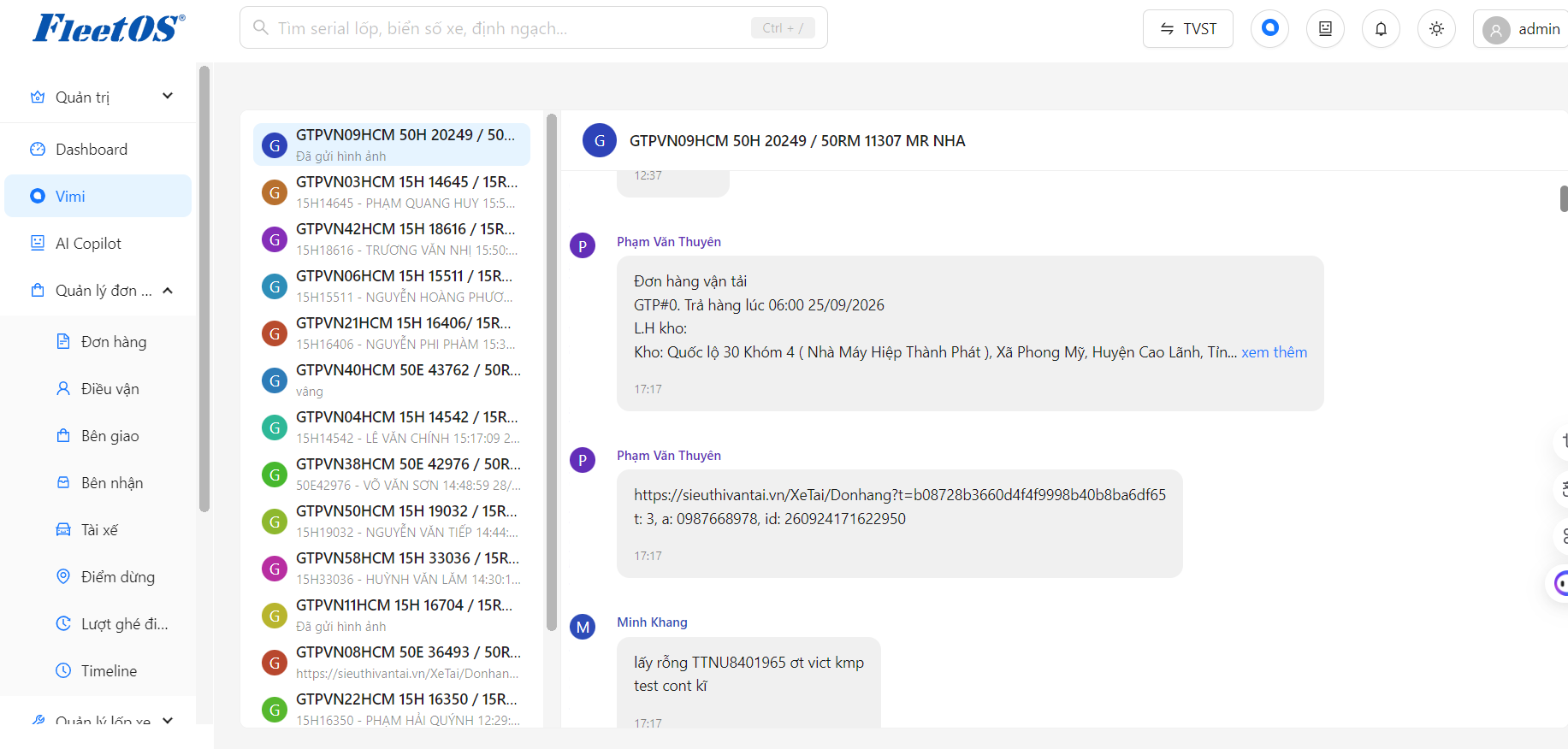
Vimi screen is used to focus and display information synchronized from Zalo groups on FleetOS.
-
Left area: Displays a list of Zalo groups.
-
Middle area: Displays the exchange content of the selected group.
-
Title bar: Displays the name of the group being viewed
Usage steps :
Step 1
Select the Vimi icon on the left menu bar or on the title bar
Step 2
Select the Zalo group you want to see in the group list.
Step 3
View group messages and exchange information in the main content area.
Step 4
Select another group on the left to switch to viewing information for that group.
AI Copilot
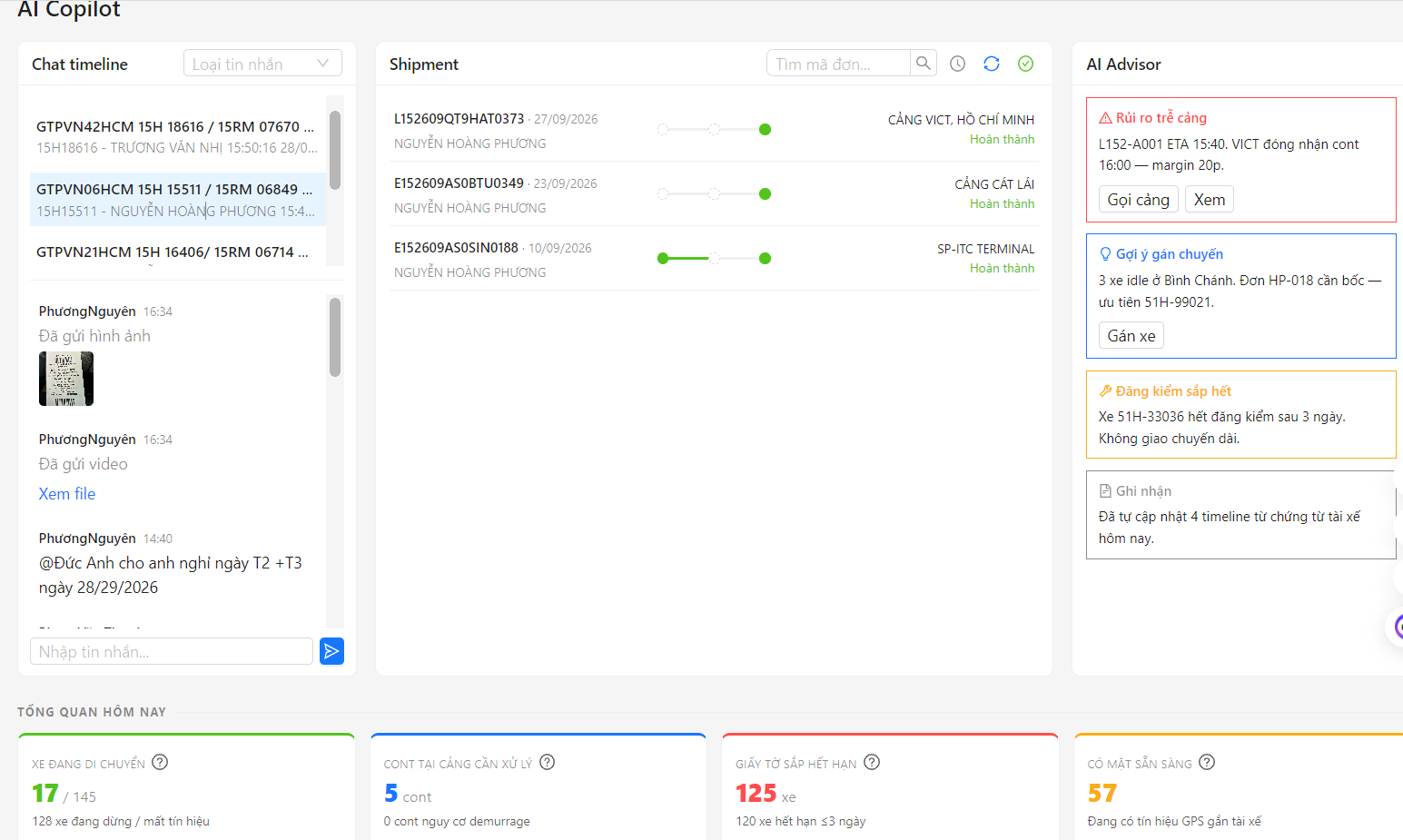
AI Copilot is an AI function that synthesizes information from groups and orders into one interface, helping users easily monitor, look up and handle work.
-
Left: List of groups and information exchange in each group.
-
Middle: List of orders in the group, with status and related information.
-
Right: AI provides warnings and treatment recommendations for each order.
-
Below: Summary of operational indicators such as vehicles in motion, containers that need to be processed, documents about to expire,…
Usage steps AI Copilot
Step 1
Click on the AI Copilot function on the left bar
Step 2
Select the group to follow in the left area. When selecting a group, the middle area will only display orders belonging to that group.
Step 3
Select the order to view to display all information, exchange history and related documents.
Step 4
View AI Advisor to receive alerts and order processing recommendations.
Step 5
See the Overview section below for operational metrics.
AI Assistant
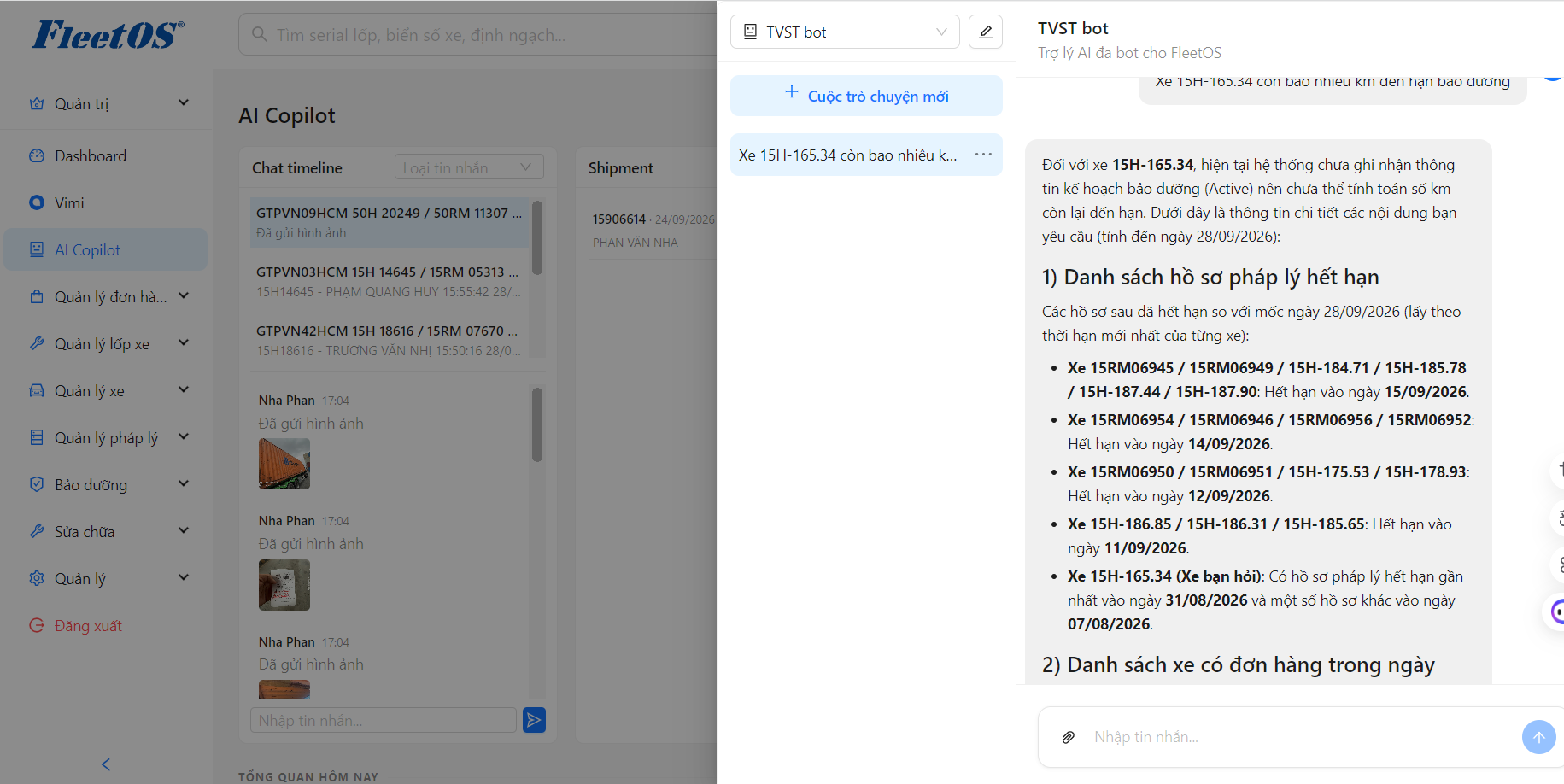
How to use virtual assistant
Step 1
Tap the Virtual Assistant icon on the title bar
Step 2
Type the question in Vietnamese, for example: “How many kilometers is left for maintenance on car 51C-12345?”
Step 3
The AI system will look up the data and respond within seconds.
Step 4
Click on the result to see details or continue to ask the next question.