Dashboard
Dashboard is a dashboard that provides a comprehensive view of fleet operational status in real time. This is the first screen the user sees after logging in
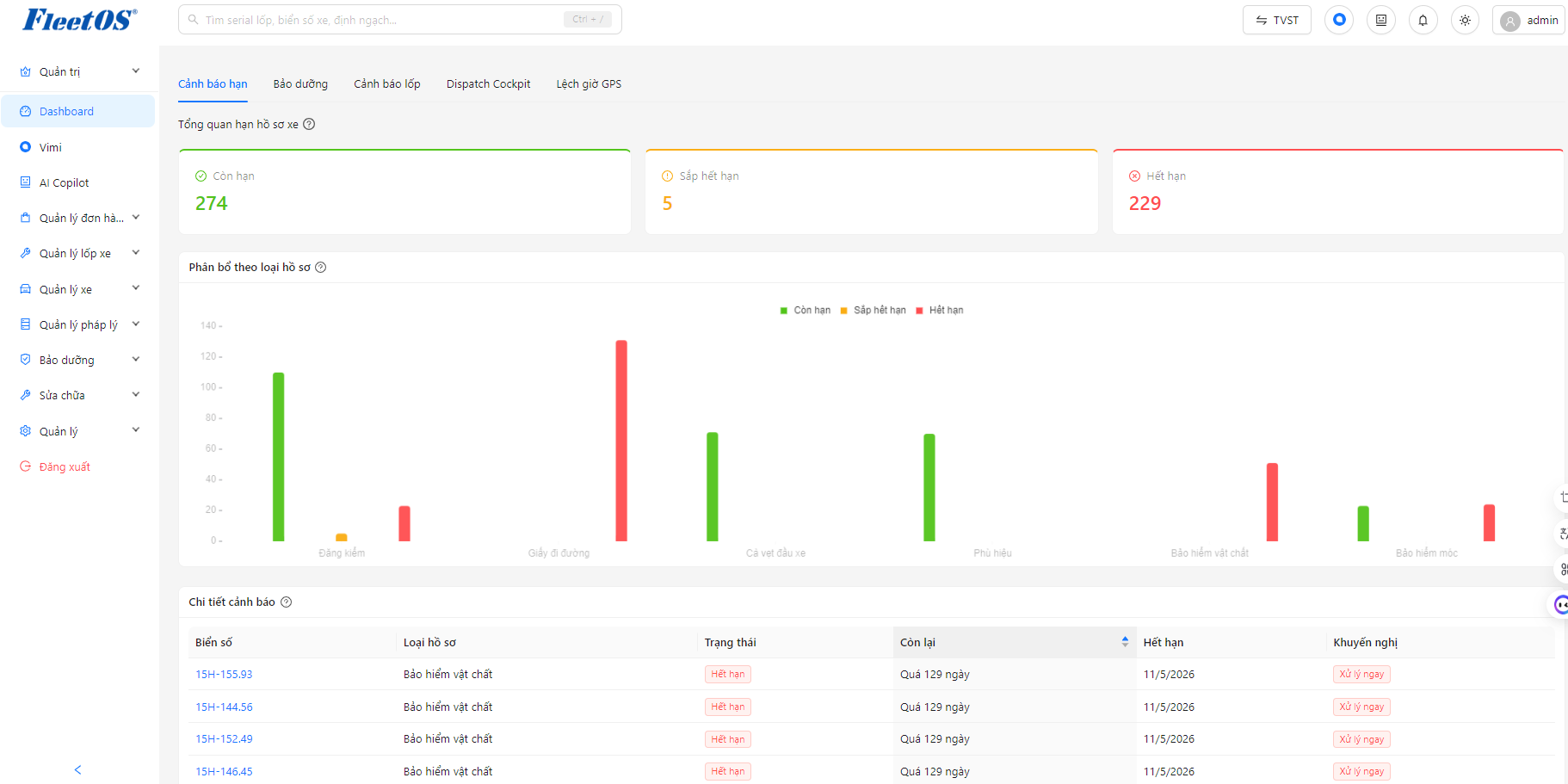
Dashboard warning term
The statistics area displays overall metrics about the vehicle record status, including:
-
Total number of unexpired documents.
-
Total number of documents about to expire.
-
Total number of expired records.
In addition, the system displays the distribution by type of record with the statuses In Expiration, About to Expire, and Expired.
Below are the warning details, displaying a list of records by license plate number, record type, status, remaining time, expiration date, and treatment recommendations. When clicking on the license plate, the system switches to the Vehicle Management function and opens the corresponding vehicle’s detail page
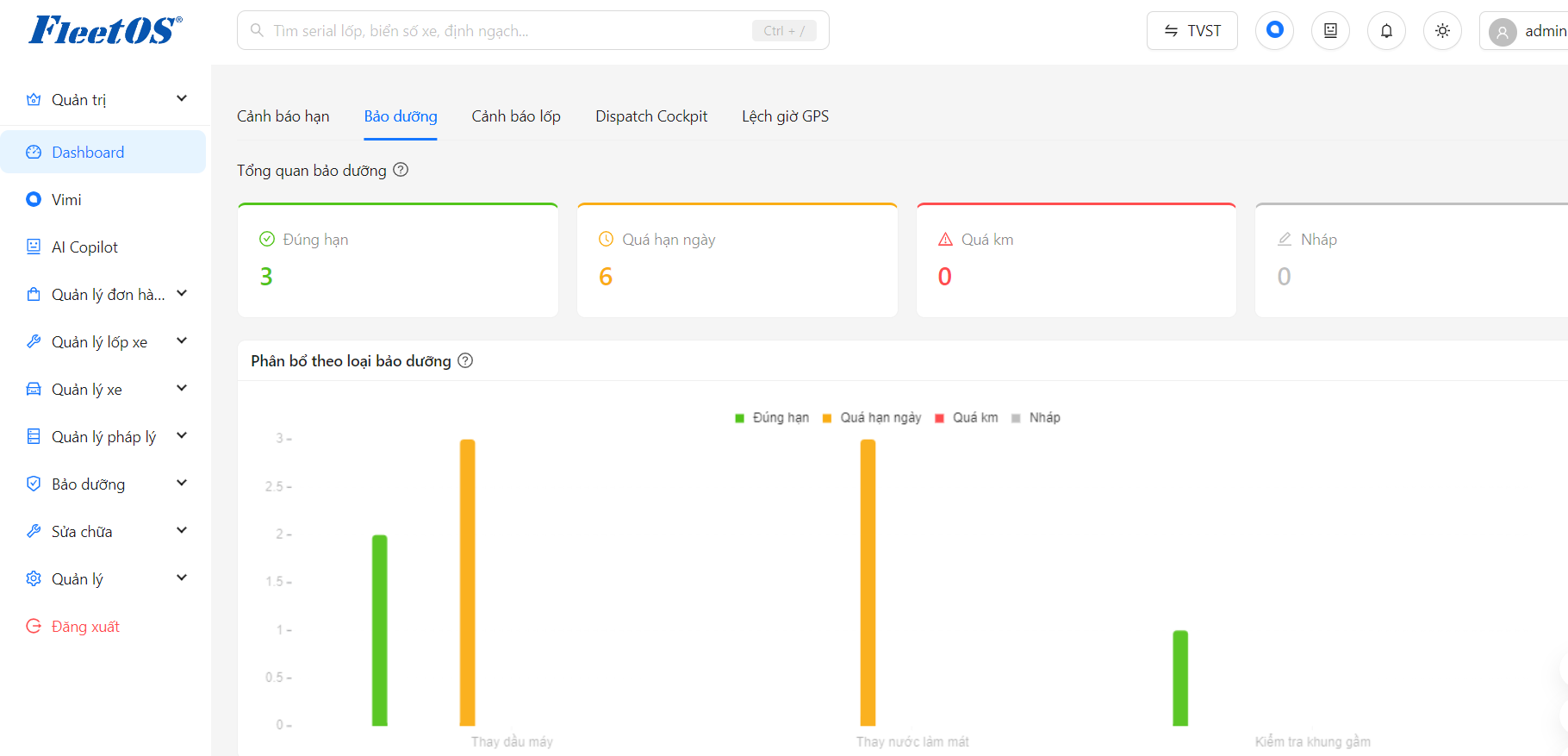
Maintenance dashboard
The statistics area displays general indicators about the vehicle’s maintenance status, including:
-
The total vehicle was serviced on time
-
Total number of vehicles whose maintenance date has passed
-
The total vehicle has exceeded the prescribed number of kilometers but has not been maintained.
In addition, the system displays the distribution by type of maintenance, including the statuses: On Time, Overdue, Overtime and Draft.
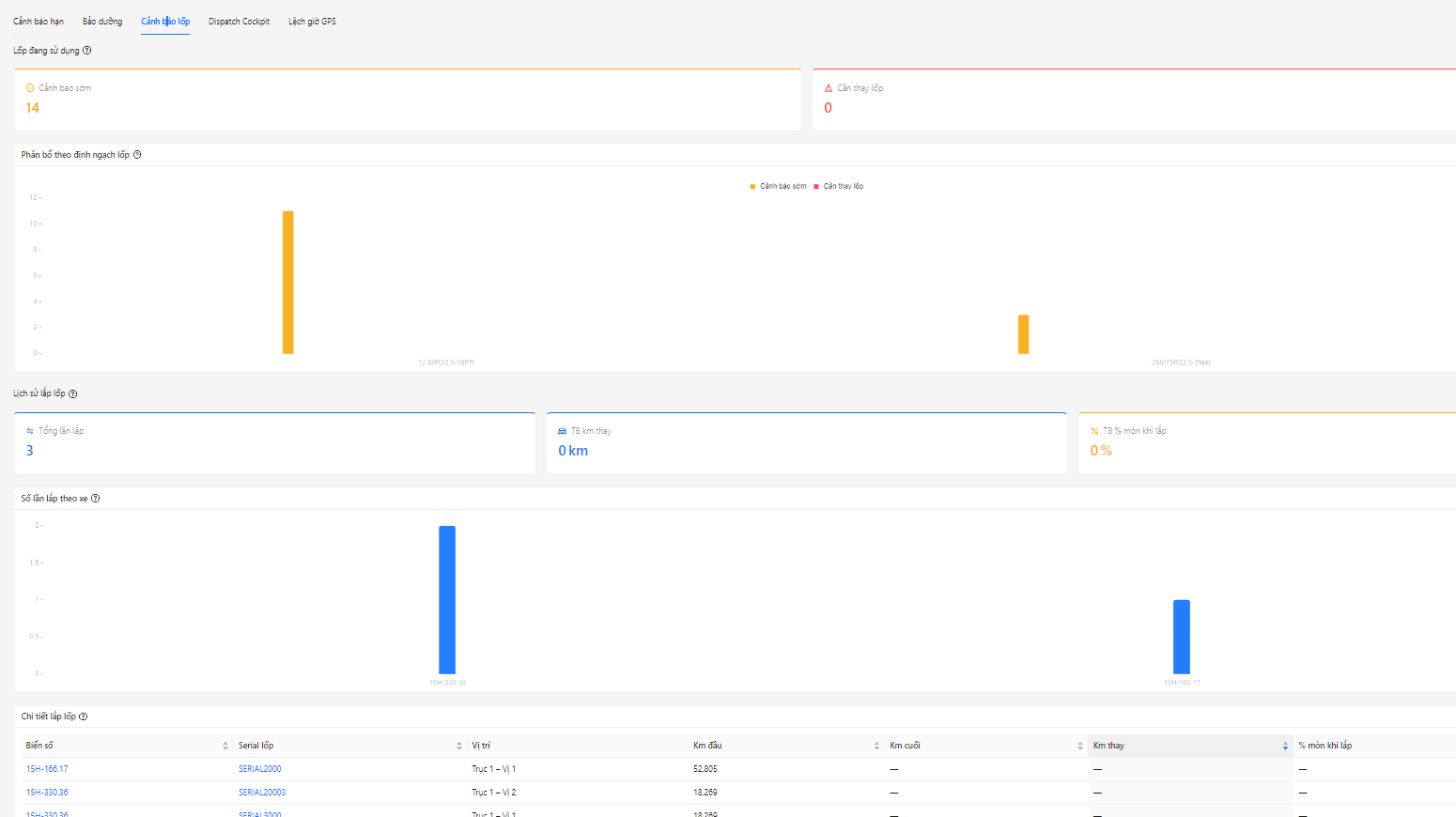
Dashboard tire warning
The statistics area displays overall tire health metrics, including:
-
Total number of tires with early warning.
-
Total number of tires that need to be replaced.
In addition, the system displays tire distribution according to tire quota, distinguishing between two states: Early warning and Need to change tires.
The tire installation history area displays general metrics, including:
-
Total number of tire installations.
-
Average number of kilometers at the time of tire change.
-
Average tire wear rate when installed.
In addition, the system displays the number of tire installation times for each vehicle and a detailed list of tire installation history, including: License plate, tire serial, installation location, first km, last km, replacement km and wear rate when installed.
When clicking on the license plate, the system moves to the Vehicle Management function to view detailed vehicle status. When clicking on Tire Serial, the system switches to the Tire Management function to view detailed information and condition of the tire.
Dashboard Dispatch Cockpit
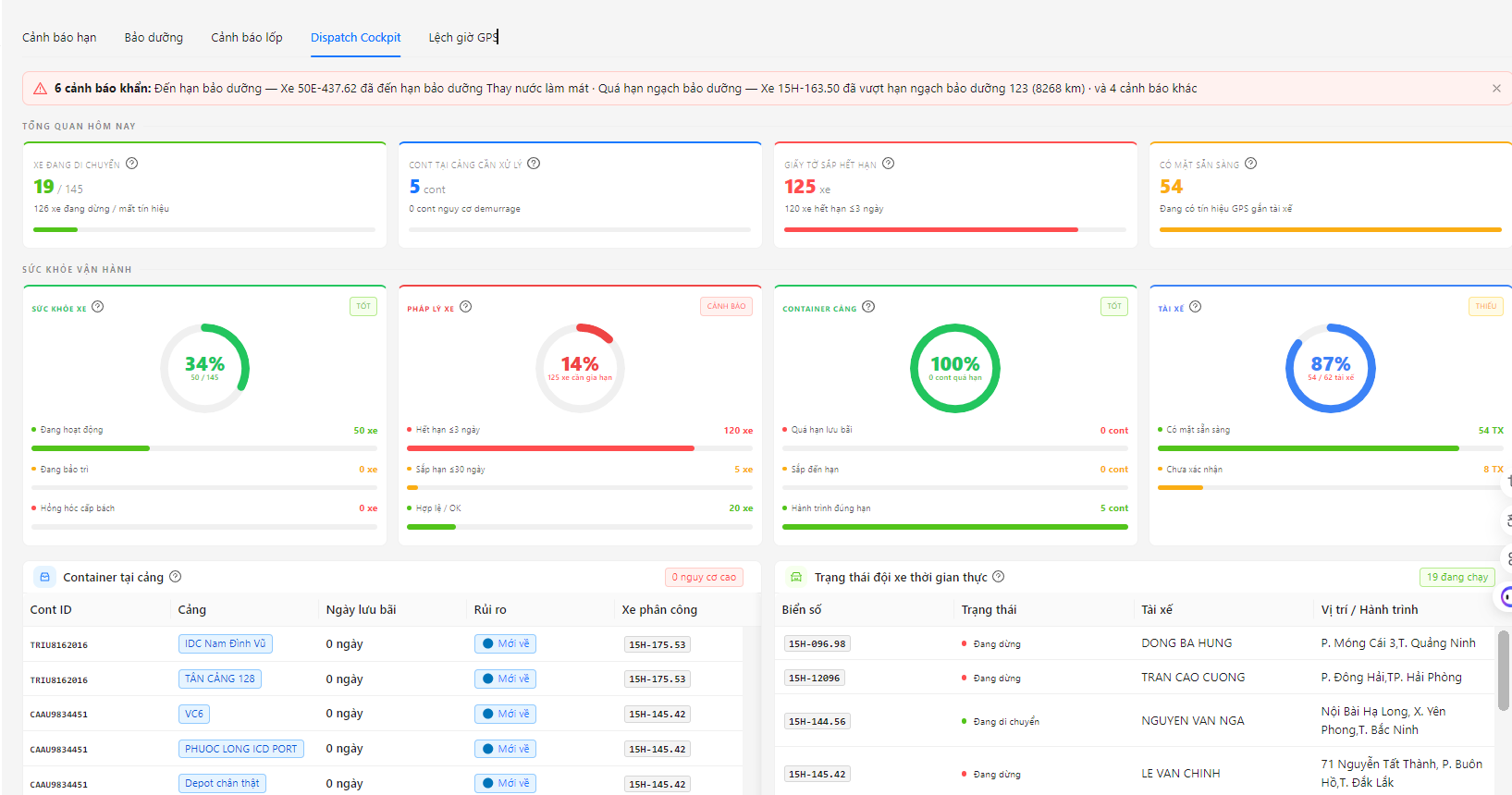
The overview area displays operational information for the day, including:
-
Number of moving vehicles and vehicle status.
-
Number of containers at the port that need to be processed.
-
The number of documents is about to expire.
-
Number of drivers available.
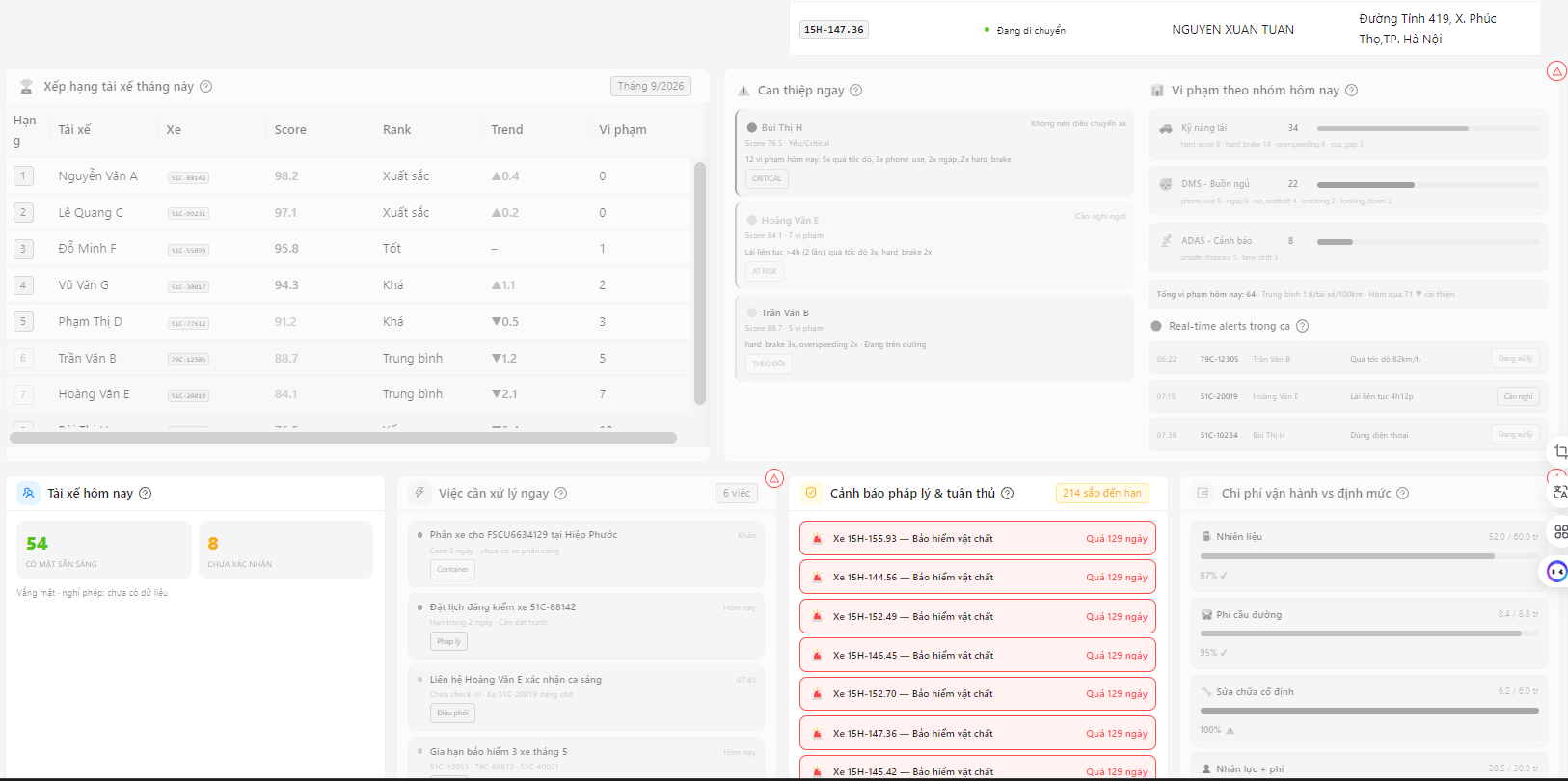
In addition, the system displays operational health, real-time fleet status, tasks to be processed, legal & compliance alerts and operating costs.
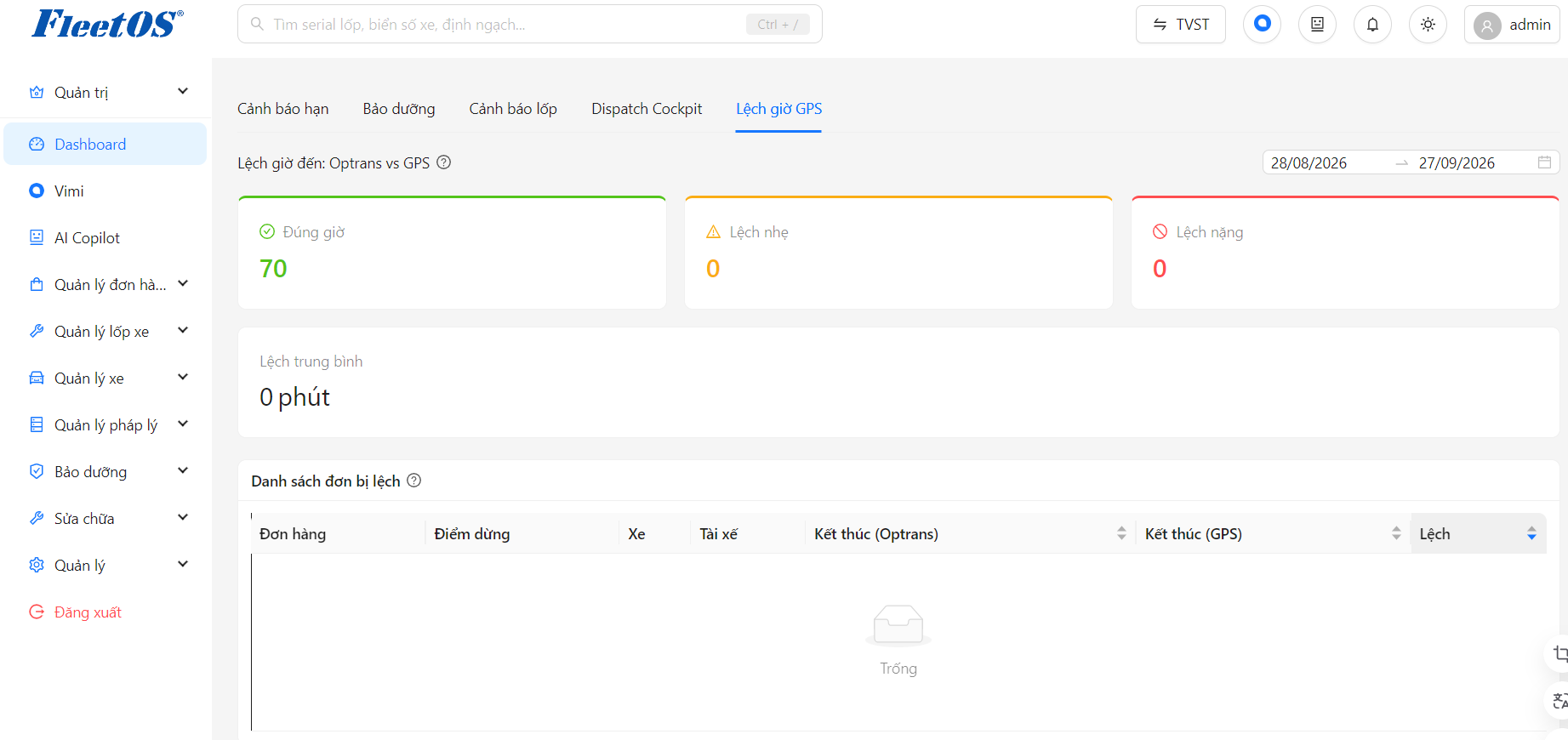
Dashboard GPS time deviation
The statistics area displays metrics about the deviation between FleetOS and GPS time, including:
-
Total number of orders on time.
-
The total number of orders is slightly different.
-
The total number of orders is seriously inconsistent.
-
Average deviation time.
Below is a list of misaligned orders, displaying order information, stops, vehicles, drivers, ending time according to FleetOS, ending time according to GPS and deviation level.